This is an old revision of the document!
Debug Window
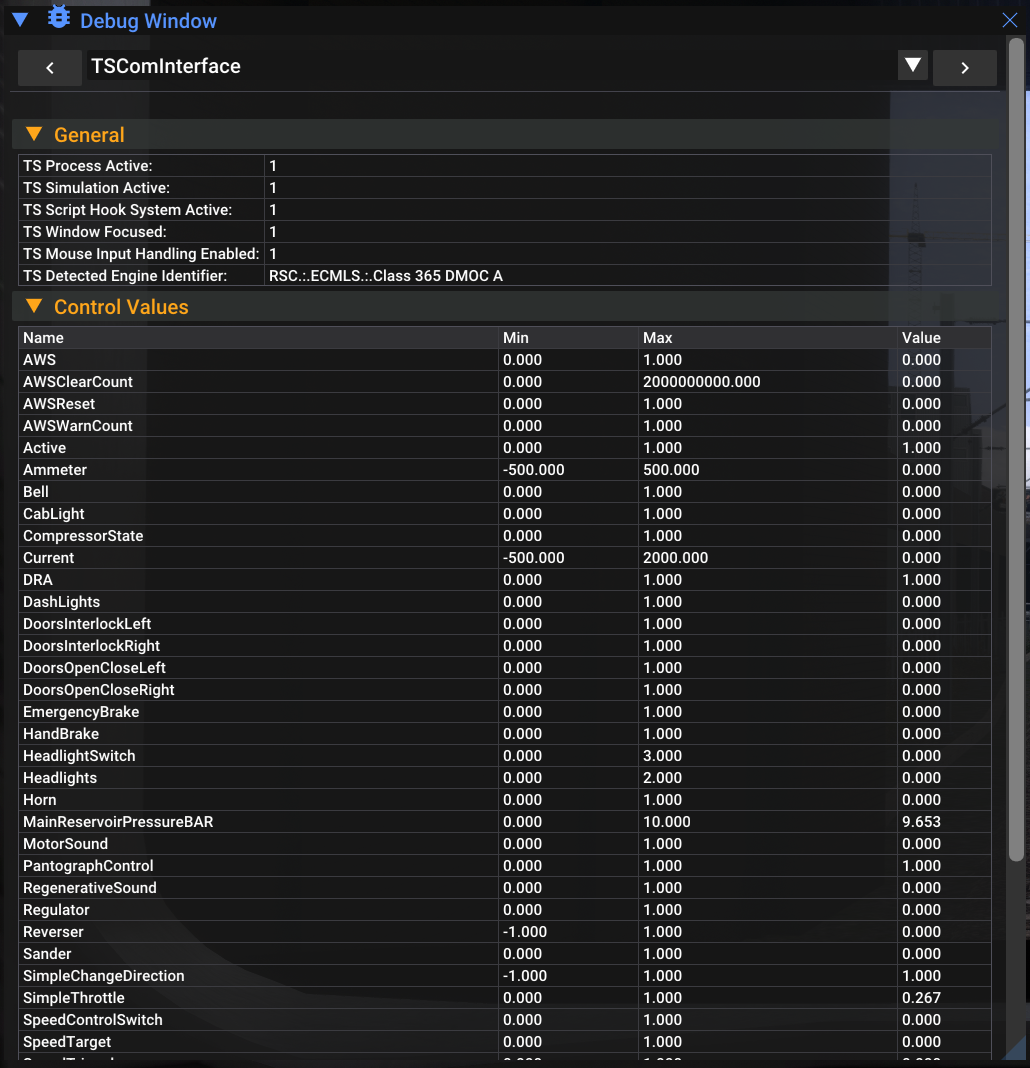
The debug window is accessible ingame with the HUD top bar. It can provide some very useful informations for debugging purpose and if you need to get more infos in order to help us for fixing some issues.
The debug window have 6 different sections:
- TS Com Interface
- World Simulation
- Train Global Simulation
- Train Systems Simulation
- Service
- Audio
TS Com Interface
In this section you can see debug infos about the TS Communication Interface system.
Export Controls List
In case you have some issue with a specific rolling stock with RW Enhancer 2, you can export a text file that contain some useful infos for debugging purposes. Just click on the 'Export Controls List' button and do not hesitate to send this file to our support system if you encounter some issue with a specific engine. This file will be found at the root directory of RW Enhancer 2.